Semrush logo
  • Product

    Get Started

    • Semrush One
    • Enterprise
    • Semrush MCP
    • Semrush API
    • Our Data
    • Book a demo

    Discover

    • Keyword Research
    • Competitor Analysis
    • Market Analysis
    • Local SEO
    • AI Brand Sentiment
    • Backlink Analysis

    Create & Optimize

    • Content Creation
    • Technical Site Health
    • Digital PR

    Track

    • Rank Tracking
    • Marketing Reports
    • AI Brand Sentiment
    • Backlink Analysis
    • See all features
  • Pricing
  • Solutions

    Use Cases

    • Grow search visibility
    • Get recommended by AI
    • Research your market
    • Connect with local customers
    • Create engaging content
    • Fix technical site issues
    • Grow off-site authority
    • Build client strategies
    • See all use cases

    By Size

    • Enterprise
    • Mid-market
    • Small teams
    • Solopreneurs
    • Freelancers
    • Agencies

    By Role

    • Business Owner
    • Agency Owner
    • SEO Specialist
    • Content Marketer
    • Full-Stack Growth Marketers

    By Industry

    • Professional Services
    • Retail & Ecommerce
    • Agencies
    • SaaS & B2B Tech
    • Healthcare
    • Local Business
    • See all industries
  • Resources

    Grow with Semrush

    • Blog
    • Knowledge Base
    • Academy
    • Success Stories
    • AI Visibility Index
    • Webinars
    • News

    Explore Free Tools

    • AI Visibility Checker
    • SEO Checker
    • Website Traffic Checker
    • Keyword Tool
    • Backlink Checker
    • Top Websites by Traffic
    • Explore Other Free Tools

    Platform

    • Our Data
    • Integrations
    • App Center

    About Semrush

    • About Us
    • Stats and Facts
    • Affiliate Program
    • Contact Us
  • Enterprise
Log InSign Up
  • News
  • Data & Insights
  • Company News
  • Product News
  • Press Kit
Search icon
Semrush logo
  • Product
  • Pricing
  • Solutions
  • Resources
  • Enterprise
Log InSign Up

Get Started

  • Semrush One
  • Enterprise
  • Semrush MCP
  • Semrush API
  • Our Data
  • Book a demo

Discover

  • Keyword Research
  • Competitor Analysis
  • Market Analysis
  • Local SEO
  • AI Brand Sentiment
  • Backlink Analysis

Create & Optimize

  • Content Creation
  • Technical Site Health
  • Digital PR

Track

  • Rank Tracking
  • Marketing Reports
  • AI Brand Sentiment
  • Backlink Analysis
  • See all features

Use Cases

  • Grow search visibility
  • Get recommended by AI
  • Research your market
  • Connect with local customers
  • Create engaging content
  • Fix technical site issues
  • Grow off-site authority
  • Build client strategies
  • See all use cases

By Size

  • Enterprise
  • Mid-market
  • Small teams
  • Solopreneurs
  • Freelancers
  • Agencies

By Role

  • Business Owner
  • Agency Owner
  • SEO Specialist
  • Content Marketer
  • Full-Stack Growth Marketers

By Industry

  • Professional Services
  • Retail & Ecommerce
  • Agencies
  • SaaS & B2B Tech
  • Healthcare
  • Local Business
  • See all industries

Grow with Semrush

  • Blog
  • Knowledge Base
  • Academy
  • Success Stories
  • AI Visibility Index
  • Webinars
  • News

Explore Free Tools

  • AI Visibility Checker
  • SEO Checker
  • Website Traffic Checker
  • Keyword Tool
  • Backlink Checker
  • Top Websites by Traffic
  • Explore Other Free Tools

Platform

  • Our Data
  • Integrations
  • App Center

About Semrush

  • About Us
  • Stats and Facts
  • Affiliate Program
  • Contact Us
Main page /Product News

Projects: New Management Opportunities

August 12, 2019
Projects: New Management Opportunities
Do you believe you can chase two hares and catch both? Then what about five, fifty, or even two hundred? Remembering the details of all your SEMrush projects is not easy, especially if at the beginning of your journey to online visibility you called your first projects something like “Competitor 1”, “Competitor 2”, and “Competitor 3”. Besides this, your colleagues from different departments may have set up several projects with the same name for a customer. To help you sort out this mess, we are introducing two new Projects functionalities.

Tags

With the new tagging option you can assign each project up to three tags and then use one or all of these for smart filtering. 

Let’s say you want to separate the competitors you monitor from the prospects you plan to pitch to and want to narrow it down to large companies. Mark all your prospects with tags like “Prospect”, “SMB”, “Big Fish” or something similar using the “+ Add tag” button.*
1.png
*Use colors to separate tags by type.

After that, you’ll be able to filter your projects list by picking the tags from the upper “Tags” menu. 

Type in up to three tags you like. e.g. “Competitor”, “SEO”, and “Weak” and have only projects with these parameters remain on the display.*
2.png
*Please note that if you use tags that contain the same words in different colors, you have to consider the color when setting up the filter.

If the situation changes and your competitor switches efforts to PPC or social, you can remove the “expired” tag and add a new one in a click. 

Table Settings

To arrange your projects by the tools you’ve set up or parameters you are tracking, use the “Table Settings” menu. There you can check and uncheck the boxes to filter your list accordingly.
3.png
With the new tagging and filtering options you’ll be able to easily organize your projects dashboard to suit your needs. 

Let us know if you have any comments, questions or suggestions by sending us an email at projects-feedback@sr02.myamztools.com. 
SEMrush Projects
Set your own rules!

Download as

PDF
DOCX

Share

Relevant news

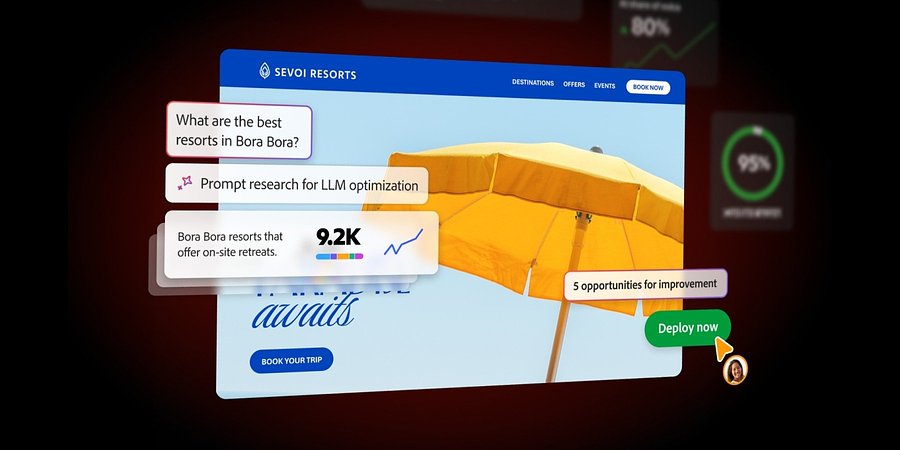
Introducing Adobe Brand Visibility: A Unified Solution for the AI Search Era

Adobe Brand Visibility is the first unified solution that brings together Semrush’s AI visibility intelligence with Adobe’s agentic content optimization capabilities, grounded in a deep understanding of business and brand context for organizations to enhance their presen...
Product News
June 17, 2026

Semrush’s New Traffic Insights Explains Changes In Competitor Traffic Performance

New AI-powered Traffic Insights in Traffic Analytics help teams identify competitor traffic spikes and drops, understand the drivers, and act faster.
Product News
June 11, 2026

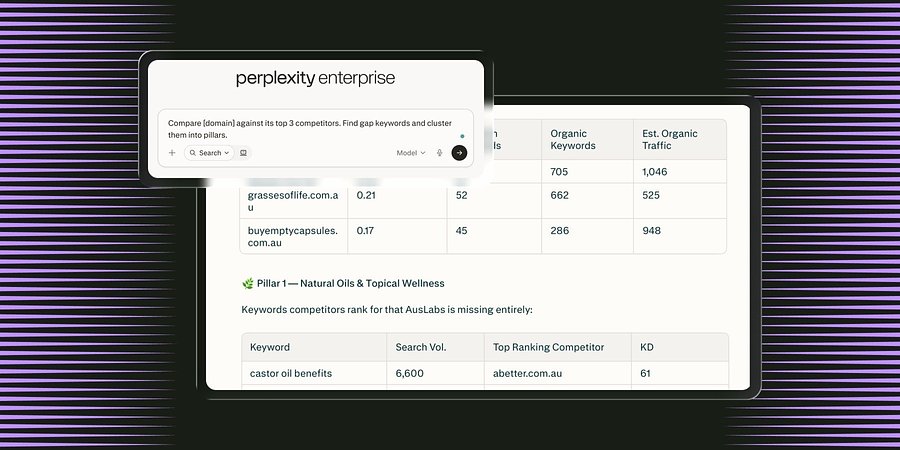
Semrush Launches MCP Connector in Perplexity, Integrating Search Intelligence Within the AI Search Engine

The new Model Context Protocol (MCP) connector enables all Perplexity users in Computer to access Semrush’s search intelligence data natively inside the LLM platform to boost brand visibility. 
Product News
June 3, 2026

Get started with Semrush today

Try Semrush free for seven days. Cancel anytime.

Start free trial
  • Semrush One
  • Features
  • Solutions
  • Pricing
  • Free Trial
  • Compare Semrush
  • Success Stories
  • Stats and Facts
  • Affiliate Program
  • Enterprise SEO
  • Enterprise AIO
  • Enterprise SI
  • Insights24
  • Mfour
  • App Center
  • Top Websites
  • Free Tools
  • Sensor
  • About Us
  • News
  • Careers
  • Partners
  • Semrush Select
  • Global Issues Index
  • Contact Us
  • Knowledge Base
  • Academy
  • API
Community
  • Semrush Blog
  • Webinars
  • Ambassador Program
LinkedInInstagramTikTokYouTubeFacebookX
Adobe logo© 2026 Semrush Holdings. All rights reserved.
Privacy PolicyTerms of ServiceCookies Settings
Semrush